
Bookmarks you’ll actually use
Save an X post or article.
Get the lessons.
Let your AI use it.
Save2Brain’s AI turns X posts and articles into short learnings, each linked to its source and ready for your own AI agent.
Free to start · No credit card
Try a real examplePick a post. See what Save2Brain keeps.
No signup needed
Pick a post or article
Addy Osmani4 learnings: Keep AI-written production code reviewableJacqueline Cheong6 learnings: Give team agents clear jobs, reusable skills and reviewShann1 learning: Design the page before asking an agent to build itBen Cera5 learnings: Match acquisition and onboarding to your product stageAdrià Martinez3 learnings: Give ad experiments enough evidence before scalingSimon Høiberg2 learnings: Find product ideas in real operating problems
Original post
View on X4 learnings from Addy Osmani’s post
Keep AI-written production code reviewable
Give a coding agent the exact build, test and lint commands it must run before presenting a change for review.
Scale human code review to the consequences of failure; production changes involving money, authentication or user data deserve especially close inspection.
When an agent repeats a mistake, preserve the correction in project instructions or a reusable skill so later tasks can benefit from it.
Save them, then ask your own AI agent
Connect your agent
Claude Code, Codex and more
Use my saved learnings to write a brief and review checklist for adding team invitations to my app.
Already have an account?
Use with your AI
Your AI knows the internet. Now it can use what you’ve saved.
Connect Save2Brain to the AI tool you already use.
- Finds the right lesson
- Saves you re-explaining
- Shows where it came from
Works with MCP-compatible AI assistants and coding agents.
Save2Brain connected · read-only
You ask
Add team invitations to my app.
It checks your Save2Brain library
- Agree on the outcome and allowed scope before a coding agent starts.
- Give a coding agent the exact build, test and lint commands it must run before handing over a change for review.
Your AI applies them
Before I start: should invitations stay out of billing and roles? Once they work, I’ll run your build, lint and tests before I hand the change over for review.
From your saved post about reviewable AI code
- You choose what it reads: your whole library or selected Collections.
- Read-only. Your AI can’t add, edit or delete anything.
- Access expires, and you can revoke it anytime.
How it works
From a saved post to knowledge you actually use
01
Save what’s worth keeping
Paste a link, click + Save on X, or add notes, images and PDFs.
02
Save2Brain distills it
One short learning per idea, sorted into Topics and linked to its source.
03
Put it to work with your AI
Ask your AI to use them, or search and edit them yourself.
Save as you browse
Save without leaving X.
Click + Save under any X post. Save2Brain prepares the learnings while you keep scrolling.
Add to Chrome
Available now · Chrome on desktop
Right in your X feed
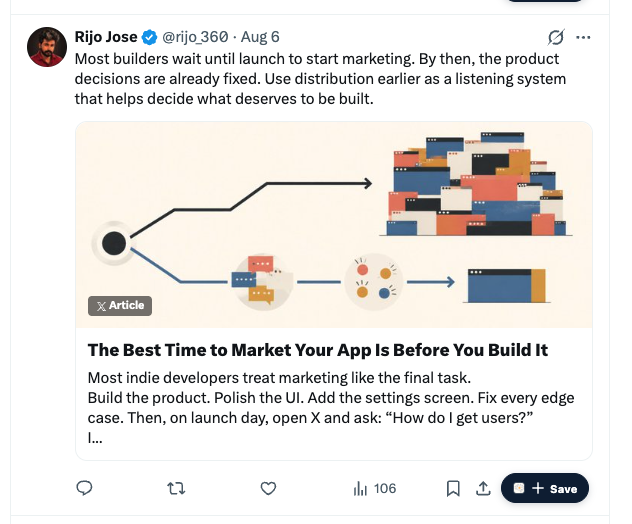
Coming soon: Safari, Firefox, Edge.
Which AI tools can use my learnings?
AI assistants and coding agents that support MCP. Connecting one is optional: you can always search and read your library yourself.
What can I save?
Public X posts and articles, pasted text, images and PDFs. Paid plans add videos.
How is a learning different from a bookmark?
A bookmark keeps the link. A learning keeps the idea, with the context and caveats that make it useful later, and links back to its source.
Can I edit an idea after saving it?
Yes. Edit any learning or group it into Collections. Its source stays attached.
Is my saved knowledge public?
No. Your library is private, and an AI reads only what you allow.
How much does it cost?
Start free, with no credit card. Paid plans add more monthly processing and videos. Compare plans
Start your library with one good post.
Get started for free
Private by default. Always yours to edit.
X previews connect to X, which may receive your IP address and use cookies. X privacy details